How to access your reports
Pull your ActTrader statements from inside the desktop platform, from the web platform, or use the direct links further down for quick access.
1 From the trading platform
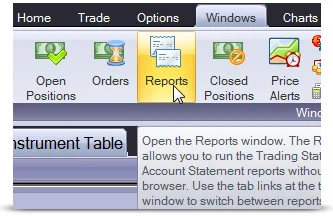 Demo or Live accounts
Login to the trading software using the User Name and Password that you have been supplied with. Then select "Reports" from the "Windows" menu.
2 From the web platform
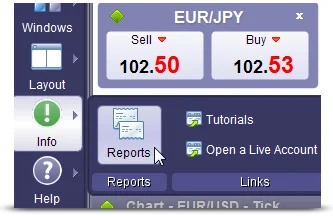 Demo or Live accounts
Login to the trading software using the User Name and Password that you have been supplied with. Then select "Reports" from the "Info" menu on the left.
Direct report links
Skip the platform menus and jump straight to the report screen. Login with the credentials you were supplied, then select your date range.
Direct links open the ActTrader report screen in a new tab. You'll be prompted for your account credentials.
Begin your trading journey today with
a reliable Forex provider